The Rotisserie — Roster Aggregation Platform
Overview
The Rotisserie started from a simple frustration.
Brothels in Sydney, publish their rosters on separate websites. If you want to browse who's working, you end up repeating the same steps over and over. Open a site, go to roster, click profiles, go back, then do it again on another site.
I wanted to see if this could be reduced into a single interface.
What I built
I built a small full-stack system that aggregates roster data from multiple websites and presents it in one place.
Instead of visiting multiple sites, users can browse profiles across shops in a single feed, apply filters, and view details without jumping between pages.
The interesting part (data pipeline)
The harder part wasn't the UI, it was dealing with messy real-world data.
Each website had a completely different structure, so I ended up writing separate scrapers for each one using Python (BeautifulSoup).
From there, I built a simple pipeline:
scraping → normalization → database → API → frontend
Data normalization (unexpectedly painful)
One of the biggest issues was inconsistent data.
For example, nationality fields came in like:
Korean / KR / K / Korea / South Korea
If I didn't fix this, filtering would basically be useless.
So I introduced a normalization layer to standardize these values into a consistent format before storing them.
This ended up being more important than I initially expected.
Backend
I built a Node.js / Express API to serve the processed data.
- roster queries
- view counting
- ratings / replies
- basic rate limiting
The main goal was to keep scraping separate from how the frontend consumes data.
Frontend
The UI is built with React + TypeScript.
Instead of page-by-page navigation, I designed it as a single feed:
- filter by shop, nationality, etc
- sort by views
- open profiles in a modal
The idea was to reduce as many clicks as possible.
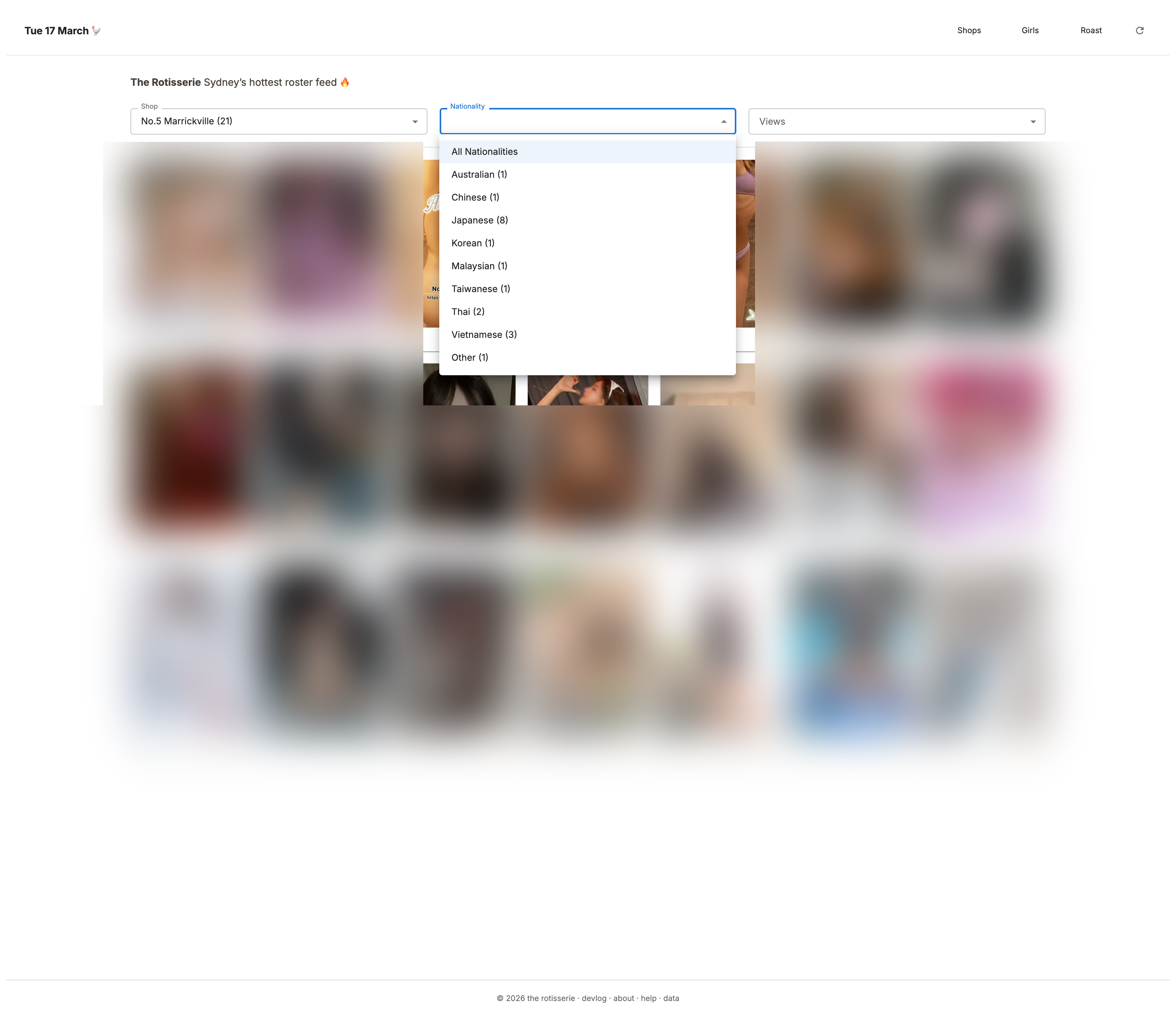
Filter by shop, nationality, or popularity: individually or combined

Grid reshuffles on each visit or refresh
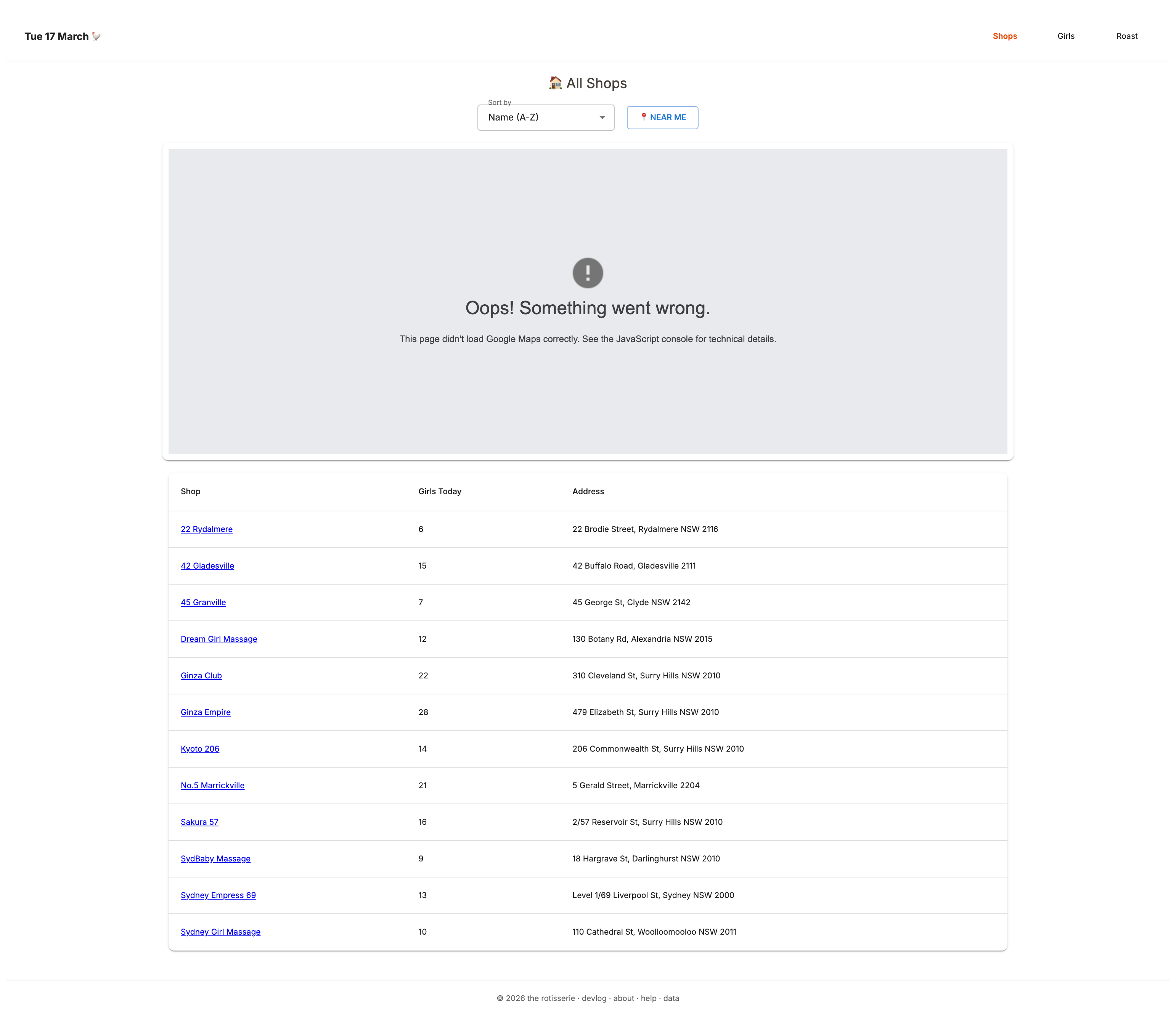
Shop pages show total roster count for the day. Map component is deprecated (localhost capture)
Challenges
1. Every site is different There's no standard. Even small HTML changes could break the scraper.
2. WordPress is… heavy A lot of sites had deeply nested markup, which made scraping slower and more fragile.
3. Data design matters more than expected Getting the schema right made filtering and sorting much easier later.
What I learned
I didn't expect to enjoy the data side this much. Turning messy HTML into something structured and queryable was actually the most satisfying part of the project. It made me more interested in how data is organized behind the UI.
Incident (worth mentioning)
At one point, I accidentally ran a TRUNCATE command and wiped the entire database.
But because the system was built around a scraping pipeline, I was able to rebuild the dataset by running the scrapers again.
It made me realize the importance of:
- not blindly running SQL
- having a rebuildable system
- and thinking about failure cases earlier
Tech Stack
Frontend: React, TypeScript
Backend: Node.js, Express
Data: Python, BeautifulSoup
Database: PostgreSQL (Neon)
Deployment: Vercel
Architecture Diagram
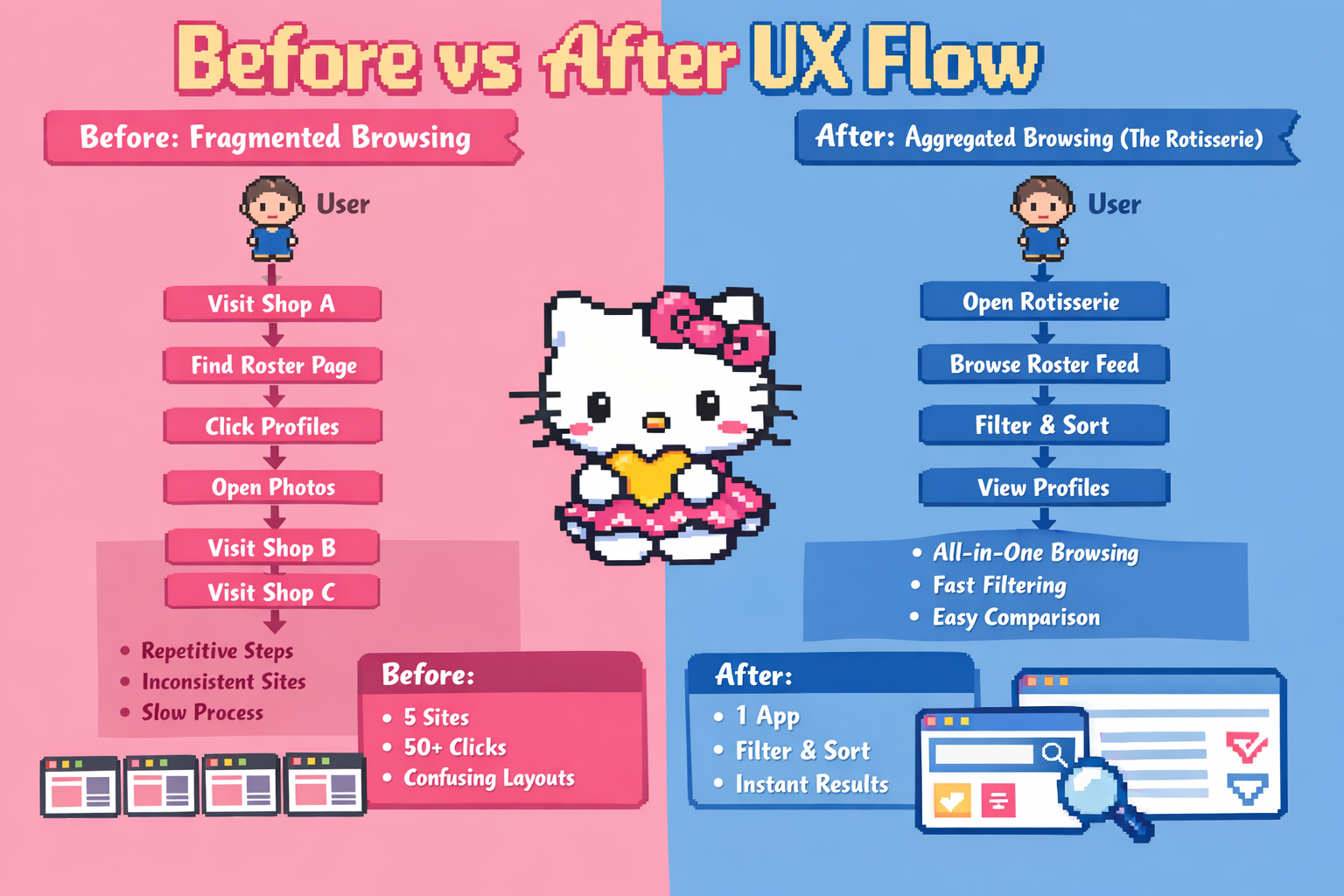
The Rotisserie uses a small data pipeline that collects roster information from multiple websites, normalizes inconsistent data fields, stores the results in PostgreSQL, and exposes them through a Node.js API consumed by a React frontend.
Because each source website uses a different HTML structure and naming conventions, the scraping layer includes custom parsers and normalization logic to produce a consistent dataset for filtering and analysis.
Before vs After UX Flow
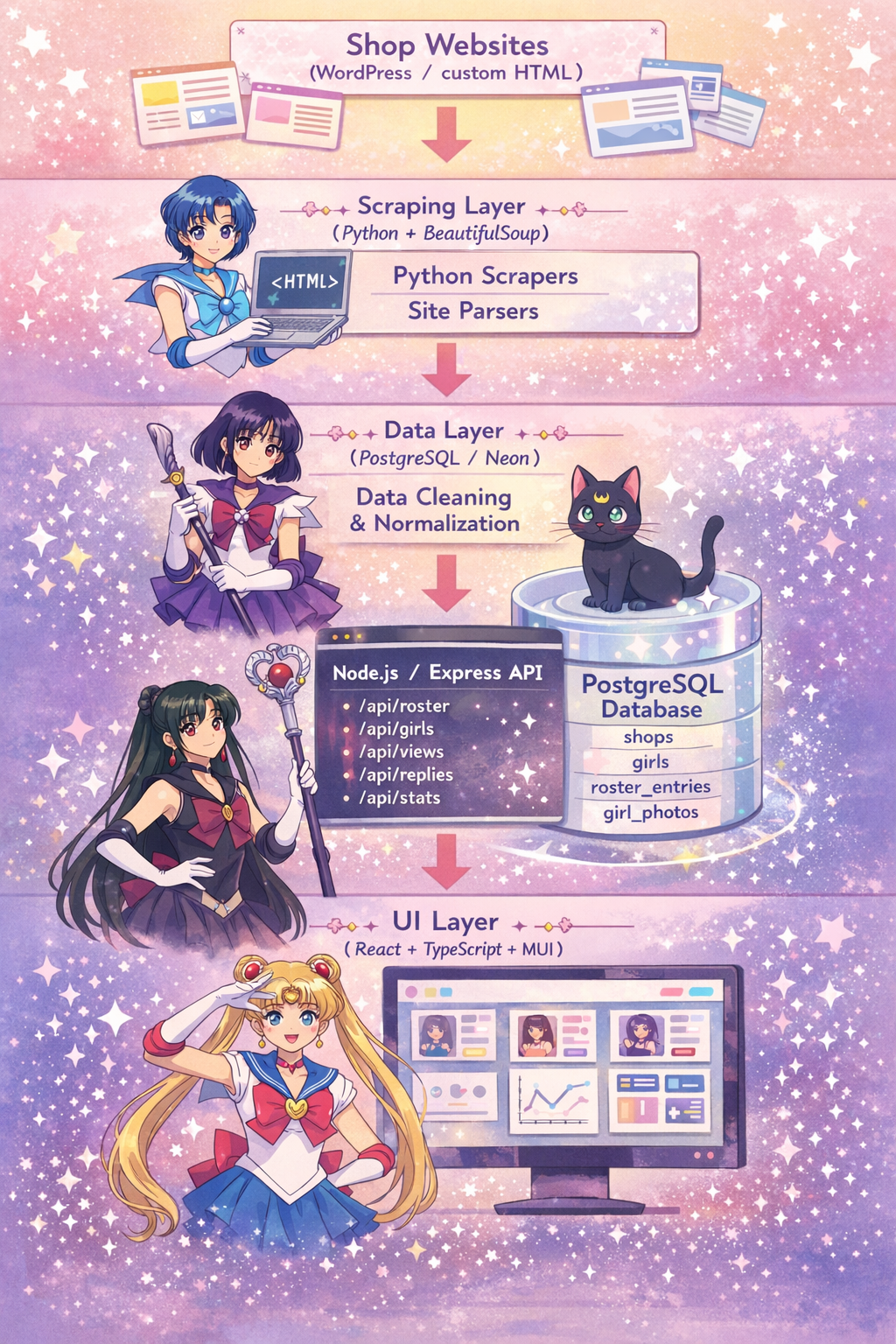
The Rotisserie transforms fragmented browsing across multiple independent websites into a unified interface where users can explore profiles, filter results, and compare information instantly.
The project focuses on reducing unnecessary navigation by restructuring scattered information into a single structured dataset and user interface.